


WCH-Link Download Debugger Risc-v Framework Mcu Online Debugging Swd Interface Chip Programming
In Stock
Categories: Programmers
Overview
Description
WCH-Link Debugger
The WCH-Link Debugger is an essential tool for developers working with RISC-V microcontrollers. This powerful device supports online debugging and programming, making it ideal for embedded systems. With its advanced features, the WCH-Link Debugger ensures efficient development and testing of applications. Whether you are a seasoned professional or a newcomer to embedded programming, this debugger will enhance your workflow and productivity.
This debugger operates seamlessly with various WCH RISC-V MCUs, including the CH32V series. It offers high-speed programming through its SWD interface, allowing for quick firmware updates. The USB Type-C connection enhances usability, providing a modern and reversible plug for easy access. The WCH-Link Debugger also features real-time debugging capabilities, enabling developers to identify and fix issues on-the-fly. This functionality is crucial for maintaining high-quality code and ensuring that your applications run smoothly.
Key Features
- Supports WCH RISC-V MCUs, including CH32V and CH32X
- Dual-mode operation: WCH-Link and WCH-LinkE
- High-speed programming via SWD interface
- USB Type-C connection for easy use
- Real-time debugging capabilities
- Compact design for portability
Use Cases
The WCH-Link Debugger is perfect for embedded developers and engineers working on RISC-V projects. It streamlines the debugging process, allowing for faster development cycles. Typical buyers include software engineers, hardware developers, and hobbyists who are focused on RISC-V architecture. Whether you are developing consumer electronics, IoT devices, or complex embedded systems, this debugger is tailored to meet your needs.
Invest in the WCH-Link Debugger today for a reliable and efficient programming solution. This tool is a must-have for anyone serious about RISC-V development. Don't miss out on the opportunity to elevate your programming experience. Order your WCH-Link Debugger now and take the first step towards more efficient and effective development!
Frequently Bought Together
Related Products
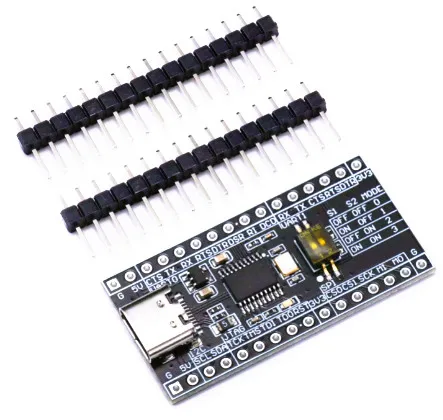
WCH-Link Download Debugger Risc-v Framework Mcu Online Debugging Swd Interface Chip Programming
440.00 EGP