


Telephone Hook Switch Reed
In Stock
Categories: Push Button
Overview
Description
Telephone Hook Switch Reed
The telephone hook switch reed is a vital part of your phone. It detects when you pick up the handset. This switch starts the dial tone. Without it, your phone cannot work. This product is perfect for DIY repairs. It fits most standard telephones.
Our reed switch is durable and reliable. It ensures clear calls every time. Installation is simple. You can do it in minutes. Just follow the steps below. This part is made by Electra Store. We guarantee quality and performance.
This telephone hook switch reed works by using a magnetic field. When you lift the handset, a magnet moves near the reed. This closes the switch and connects the circuit. The dial tone then appears. It is a simple but clever design. This part is small yet powerful. It handles many cycles without failure. You can trust it for daily use. It is a direct replacement for old parts. No extra wiring is needed. Just swap it in. Your phone will work like new again. This telephone hook switch reed is tested for reliability. It meets high standards for performance. It is a smart choice for any repair.
Key Features
- High-quality reed switch for long-lasting use
- Compatible with most standard telephone models
- Easy to install with basic tools
- Restores dial tone and call clarity
- Compact design fits in tight spaces
- Backed by Electra Store warranty
Use Cases
This telephone hook switch reed is ideal for home users. It also works for office phones. Tech enthusiasts love it for repairs. It is great for vintage phone restoration. Buyers who need a quick fix will benefit. Collectors use it to keep old phones alive. It is also good for hobbyists who build projects. Anyone with a broken phone can use it. The telephone hook switch reed solves a common problem. It is a simple part with a big job. You do not need special skills to install it. Just follow the steps. This makes it perfect for beginners. It is also a cost-effective solution. You save money by fixing your own phone. This telephone hook switch reed is a must-have for repair kits.
Order your telephone hook switch today. Fix your phone fast. Enjoy clear calls again. Electra Store offers fast shipping. Get yours now and save time. Do not wait for your phone to fail. Act now and restore your connection. This telephone hook switch reed is ready to ship. Click to order and get back to talking. Your satisfaction is guaranteed. Buy today and hear the difference.
Frequently Bought Together
Related Products
Recently Viewed
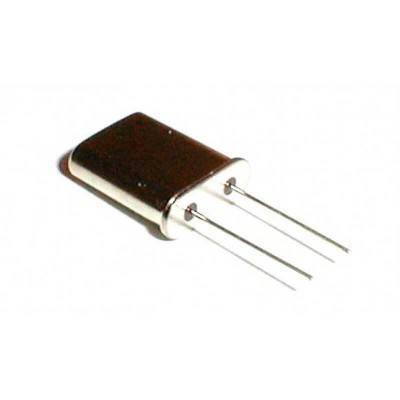
Telephone Hook Switch Reed
15.00 EGP