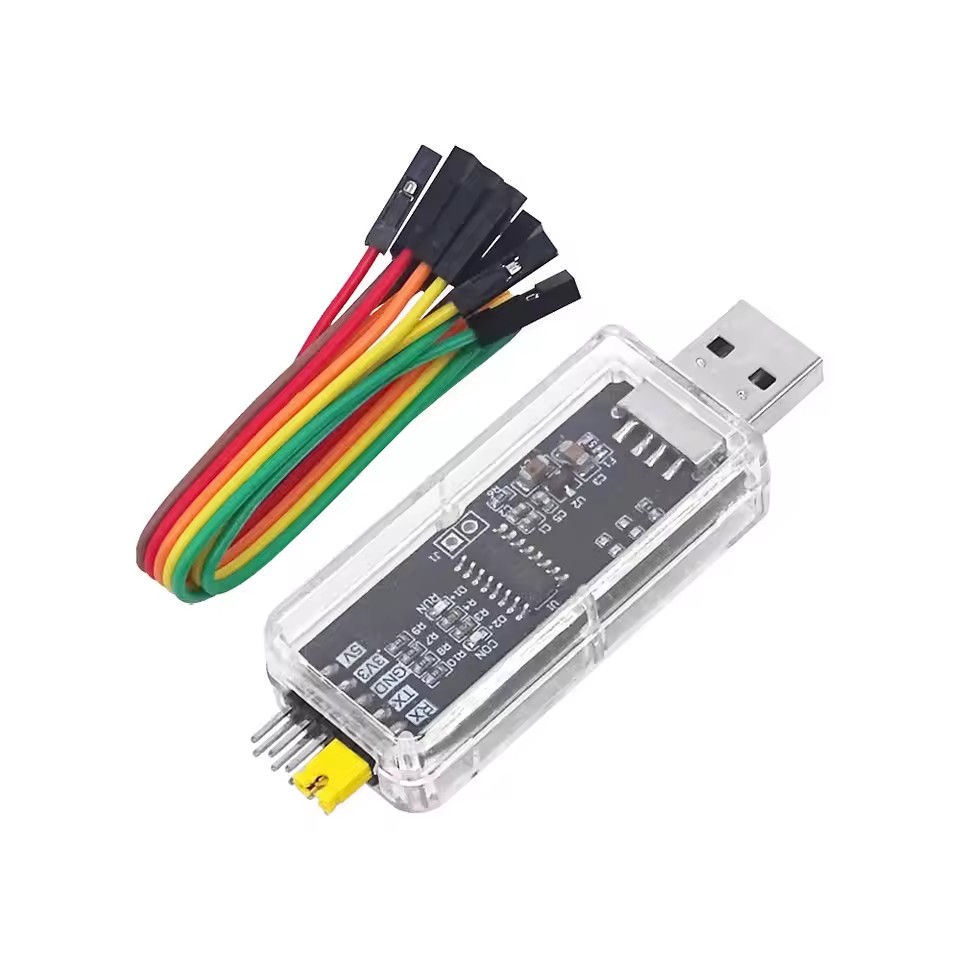
WCH-Link Debugger – RISC-V Online Download & Debug Tool
In Stock
Categories: Programmers
Overview
Description
WCH-Link Debugger – RISC-V Online Download & Debug Tool
The WCH-Link Debugger is a powerful, compact, and highly reliable download, debug, and UART communication tool designed for developers working with WCH RISC-V and ARM Cortex-M microcontrollers. Built to streamline embedded development workflows, this all-in-one device combines programming, real-time debugging, and serial communication into a single, easy-to-use solution.
Whether you are a professional embedded engineer, IoT developer, student, or electronics hobbyist, the WCH-Link Debugger provides the performance, compatibility, and convenience needed to accelerate development and reduce setup complexity.
Wide Compatibility with WCH RISC-V & ARM Cortex-M MCUs
The WCH-Link Debugger supports a broad range of WCH microcontrollers, including popular RISC-V series (such as CH32V, CH56x, CH57x) and ARM Cortex-M based MCUs. This wide compatibility makes it an ideal choice for developers working across multiple platforms or transitioning between architectures.
By using a single debugger for different MCU families, you eliminate the need for multiple tools, reducing cost and simplifying your development environment.
All-in-One Programming, Debugging & UART Communication
Unlike basic programmers, the WCH-Link Debugger integrates three essential functions into one device:
-
Firmware Downloading / Flash Programming
-
Online Debugging (Breakpoints, Step Execution, Register & Memory View)
-
UART Serial Communication
This integrated approach allows developers to flash firmware, debug code in real time, and monitor serial output without switching hardware. The result is a smoother workflow, faster troubleshooting, and improved productivity.
High-Speed USB Interface for Fast & Stable Performance
Equipped with a high-speed USB interface, the WCH-Link Debugger ensures fast data transfer and stable communication between your computer and target device. Firmware downloads are quick and reliable, while debugging sessions remain responsive even during intensive operations.
The USB connection also provides power to the debugger, making it fully plug-and-play without requiring an external power supply.
Transparent Case with Clear Pin Labels
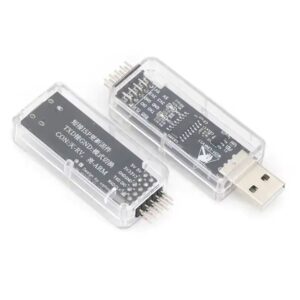
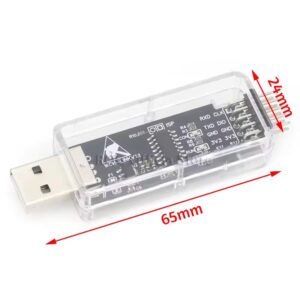
The debugger features a transparent enclosure with clearly labeled pins, allowing you to easily identify connections during setup. This design minimizes wiring errors and saves time, especially when working on prototypes or test benches.
Clear pin labeling is particularly helpful for:
-
Beginners learning embedded systems
-
Rapid prototyping environments
-
Educational labs and workshops
Multiple Baud Rates for Flexible UART Communication
With support for UART baud rates ranging from 9600 bps up to 921600 bps, the WCH-Link Debugger adapts to a wide variety of serial communication needs. Whether you’re logging debug messages, communicating with peripherals, or testing high-speed data transfer, this tool offers the flexibility required for both simple and advanced projects.
Plug & Play Convenience
The WCH-Link Debugger is USB powered, meaning:
-
No external power adapter required
-
No complex setup steps
-
No driver headaches (drivers available for major operating systems)
Simply plug it into your computer, connect it to your target MCU, and start developing.
Ideal Applications
The WCH-Link Debugger is suitable for a wide range of applications, including:
-
Embedded firmware development
-
RISC-V learning and experimentation
-
IoT device programming
-
Industrial control systems
-
Educational and training environments
-
Rapid prototyping and product development
Supported Software & Development Environments
The debugger works seamlessly with WCH’s official development tools and popular IDEs, enabling full debugging capabilities and smooth integration into existing workflows.
External Resources:
-
WCH Official Website: https://www.wch.cn
-
WCH-Link User Documentation: https://www.wch.cn/downloads
-
MounRiver Studio IDE (Official WCH IDE): https://www.mounriver.com
-
RISC-V International: https://riscv.org
These resources provide drivers, IDE downloads, datasheets, and example projects to help you get started quickly.
Why Choose the WCH-Link Debugger?
-
✔ Supports both RISC-V & ARM Cortex-M
-
✔ Combines programming, debugging, and UART in one tool
-
✔ High-speed USB for fast, stable operation
-
✔ Clear pin labeling for easy wiring
-
✔ Wide baud rate support up to 921600 bps
-
✔ Plug & play, USB powered convenience
The WCH-Link Debugger is a cost-effective, professional-grade solution that simplifies embedded development while delivering reliable performance.
Customer Reviews
Based on 0 reviews
0
Verified Purchases
0
Reviews with Photos
0%
Would Recommend
Sign in to write a review
Sign InNo reviews yet
Be the first to review this product.